HubSpot Reporting Dashboard: What Native Reports Miss
August 28, 2026
·
Tim Liu
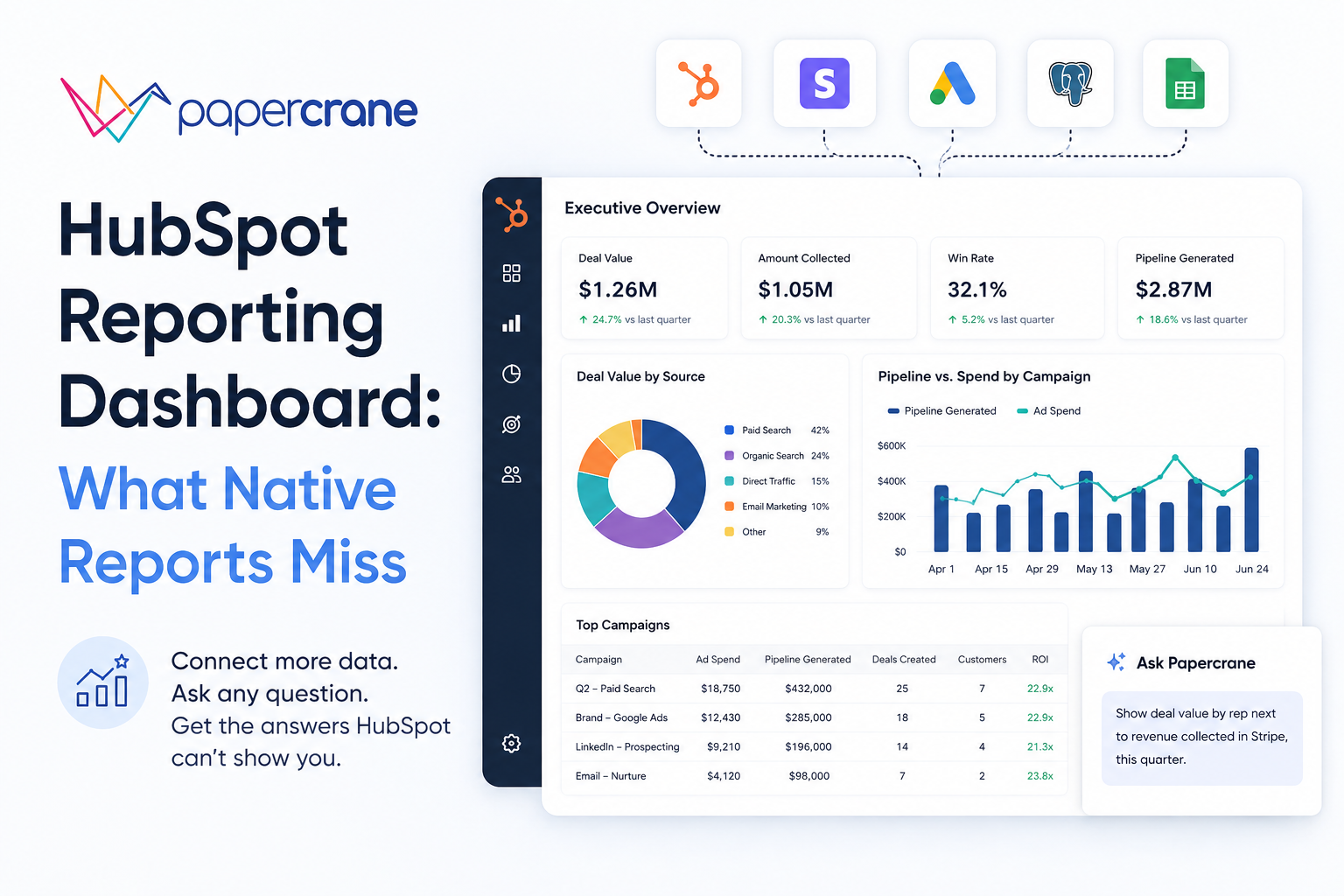
You built the report. Then someone asked a question it can’t answer, because the data lives in two objects HubSpot won’t let you join, or in a tool HubSpot has never heard of.
This is the point where most teams start searching for “hubspot reporting dashboard,” and it’s usually not curiosity. It’s a specific report that’s stuck.
We cover why native HubSpot reporting hits that wall, what a custom HubSpot CRM dashboard actually needs to do instead, and how to build one without waiting on a subscription upgrade or a dev sprint.
Why Teams Hit a Wall With HubSpot’s Native Reporting
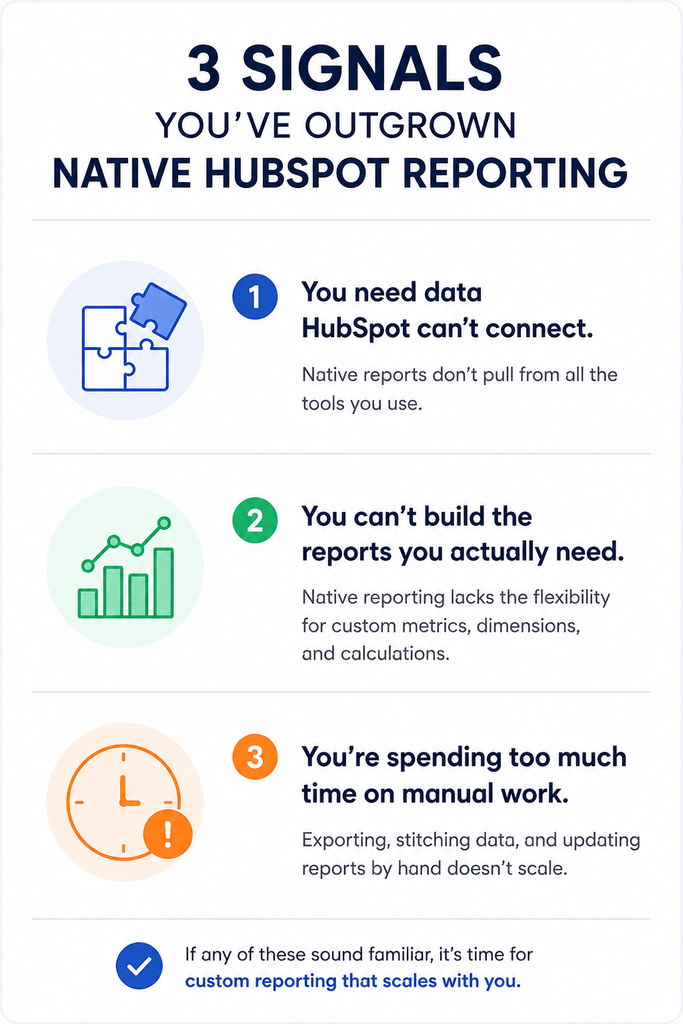
HubSpot’s report builder is genuinely good for single-object questions like deals by stage, contacts by source, tickets by rep. It starts to strain the moment a question crosses objects or crosses systems.
A few concrete triggers:
- Report caps tied to subscription tier. On the HubSpot Community forum, one team had around 20 paid Sales Hub Professional seats. They hit the plan’s 100-report limit. Moving to Enterprise would raise the limit to 3,000 reports, but the team did not need that much capacity. The higher-tier cost also did not make sense for their needs.Their proposed fix, a smaller, cheaper increment instead of an all-or-nothing tier jump, is still just a community suggestion, not a shipped feature.
- The cross-object ceiling. HubSpot’s documentation confirms that custom report limits vary by subscription. Limits do not combine across multiple hubs on the same tier. Increasing the limit requires a reporting limit add-on, rather than changing a setting.
- Data outside HubSpot stays outside HubSpot. Revenue collected in Stripe, spend sitting in an ad platform, anything in a warehouse. None of it shows up in a native report without a pre-built integration first.
- The build itself takes longer than it should. In G2 reviews of HubSpot, users describe dashboards as complex to build in a short window. Getting at the underlying data as something that takes real time spent “connecting the dots” rather than a quick lookup.
None of this makes HubSpot’s reporting bad. It means native reporting is scoped to what fits inside HubSpot’s object model, and plenty of real reporting questions don’t.
What Agencies and RevOps Teams Actually Need From a Custom Report
The keyword is “custom report,” but the actual need is rarely about report types. It’s about specific comparisons:
- Deal data next to the revenue Stripe actually collected, not just the stage a deal sits in
- Ad spend next to the pipeline it generated, across a full funnel HubSpot only sees half of
- The same underlying numbers, reformatted for a client, an exec, and a sales rep without rebuilding it three times
That’s the actual shape of a “hubspot crm dashboard” request once you strip away the feature vocabulary. It’s a cross-source question wearing a HubSpot label.
The Old Workaround and Why It Breaks
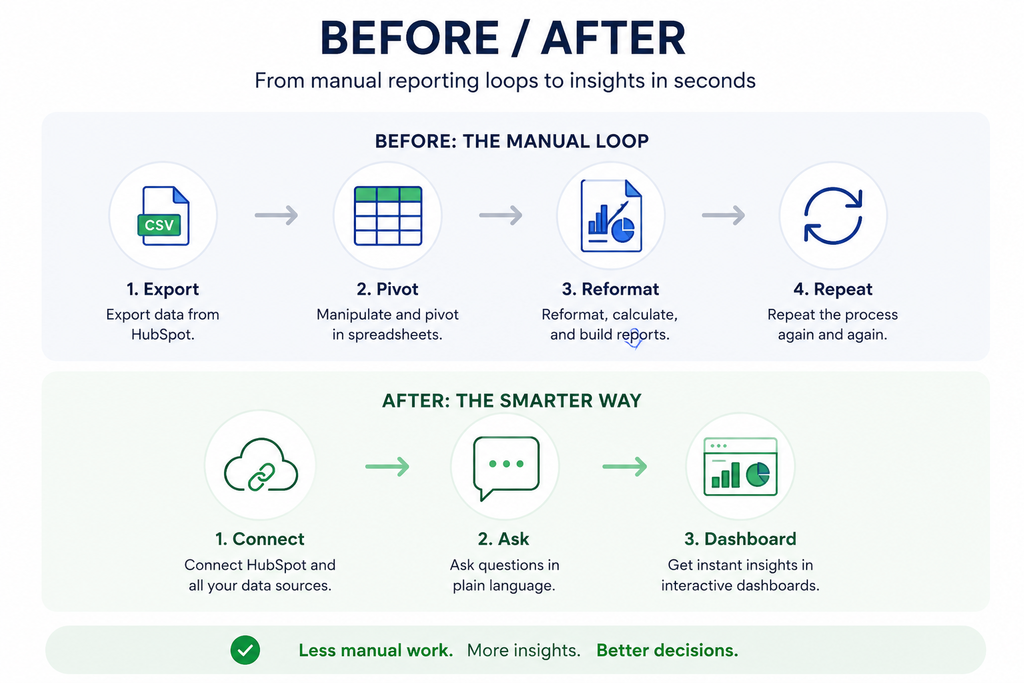
Before a better tool enters the picture, most teams solve this the same way: export to a spreadsheet, rebuild the pivot table, reformat it for whoever’s asking, send it, and repeat the whole thing next week when the numbers move.
It works exactly once. Every new question restarts the cycle, the export is stale the moment it’s downloaded, and an agency running this process across multiple client accounts is rebuilding the same pivot table by hand, over and over, for people who just wanted an answer.
How Papercrane Builds HubSpot Reporting Dashboards Without the Native Limits
Papercrane connects to HubSpot alongside your other data sources, such as Stripe, ad platforms, and databases.
You do not need to pre-build the join logic yourself.
Instead of configuring axes, filters, and chart types inside HubSpot’s report builder, you describe the report in plain language.
For example:
“Show deal value by rep next to revenue actually collected in Stripe, this quarter.”
Papercrane then builds the dashboard from your request.
Two follow-up questions often matter more than the first one.
If the next question is, “Now break that down by lead source,” you ask it directly.
If you want to ask, “Compare it to last quarter,” you ask that too.
You do not need to rebuild the report from scratch each time.
You also avoid limits tied to how many two-axis reports your HubSpot tier supports.
Cross-object and cross-platform questions become prompts rather than subscription-tier decisions.
HubSpot Sales Dashboard vs. Marketing Dashboard
The two use cases need genuinely different data, and both routinely need data HubSpot alone doesn’t have:
Sales dashboard: pipeline by rep, deal velocity, win rate, joined with revenue actually collected, not just the deal stage marked “closed won.”
Marketing dashboard: campaign-to-pipeline attribution and spend against the pipeline it produced.
This gives you the cross-object, cross-platform view HubSpot’s native reporting is least equipped to answer in one place.
Spend data usually lives in the ad platform, not HubSpot.
Same underlying need either way: the dashboard should follow the business question, not the object HubSpot happens to store the data in.
Getting Started in Minutes, Not a Reporting Sprint
This matters most for agencies managing reporting across several client accounts at once.
Nobody should need to file a ticket to a dev team or wait for the next sprint to get a dashboard built.
With Papercrane, an account manager can ask for the dashboard directly, the same way they’d ask a colleague, and get it back in minutes instead of days.
That’s the practical case for agencies specifically: the reporting bottleneck usually isn’t the data, it’s the queue to get someone to build the report.
FAQs
Can I connect HubSpot with non-HubSpot data in one dashboard?
Yes. Papercrane connects HubSpot alongside sources like Stripe or ad platforms so a single dashboard can report across all of them. HubSpot’s native reporting can’t do without a separate integration built in advance.
Do I need to upgrade my HubSpot tier to get more custom reports?
Within HubSpot itself, yes report limits are tied to subscription tier, and increasing them means either upgrading or purchasing a reporting limit add-on, per HubSpot’s own documentation. Building the report outside HubSpot’s report builder sidesteps that limit entirely.
Can I build a HubSpot dashboard without knowing SQL or the report builder’s filter logic?
Yes, with Papercrane you describe what you want in plain language rather than configuring data sources, fields, and filters manually.
Ready to see it on your own data?
Connect your HubSpot account and ask for the dashboard you’ve been exporting to a spreadsheet every week, or see how agencies use Papercrane to handle reporting across every client account from one place.