Today I’m launching papercrane-cli: a BI tool built for Claude Code
July 8, 2026
·
Tim Liu
Every analytics vendor is bolting an AI copilot onto their dashboards. Power BI has one. Tableau has one. They all work the same way: the human drives the old tool, and the AI sits in a sidebar making suggestions.
I went the opposite direction. I took the agent you already use and built the BI tool around it.
papercrane-cli is a command line tool that gives Claude Code everything it needs to turn a business question into a live dashboard: authenticated access to your data, a real dashboard workspace, and a path to a link you can send to anyone. It launches today.
It’s free and it runs on the Claude subscription you already pay for.
Here’s why it exists.
Agents are already great at dashboards. Here’s what stops them.
If you use Claude Code, you’ve probably tried this. You ask it for a revenue dashboard and it writes genuinely good React. Charts, layout, the works. Then it runs into three problems. I know because I hit every one of them, and papercrane-cli is the tool I wanted on the other side.
1. Everything an agent builds is frozen in time
Ask an agent for a dashboard right now and you get one of three things: an HTML file, a PDF, or a chat artifact. All three share a flaw you won’t notice until Thursday: the numbers were baked in at build time. It’s a photograph of your business, accurate the moment it was taken and drifting further from the truth every day after.
MCP doesn’t fix this, and it’s worth being precise about why. MCP is good at what it does: it lets your agent call tools during a conversation. The catch is that the connection belongs to the chat session. The dashboard your agent writes can’t inherit it. So the agent queries your data, hard codes the results, and hands you something that looks like a dashboard and behaves like a screenshot.
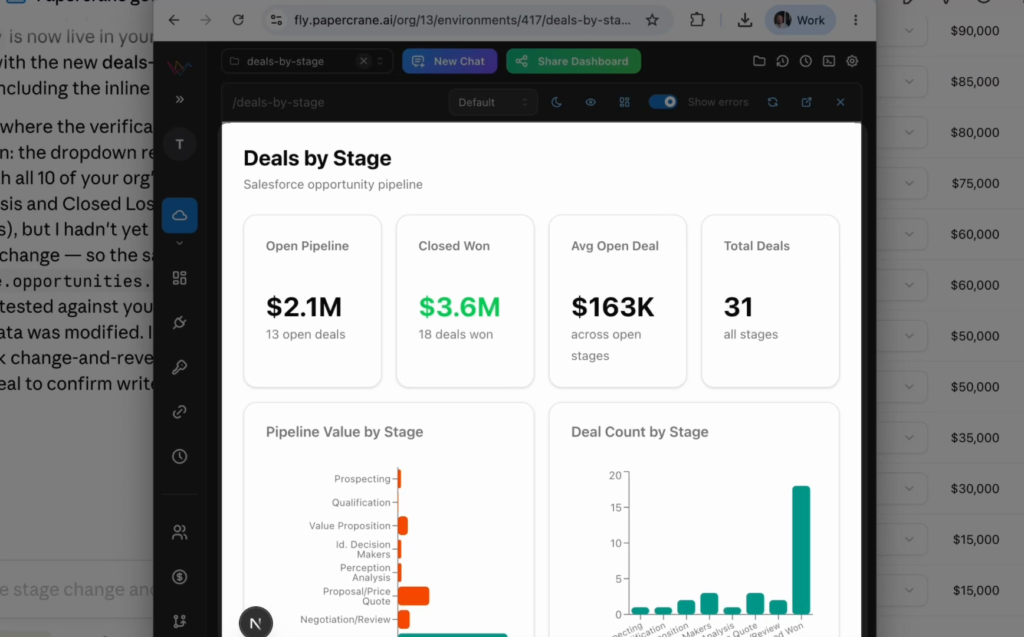
Papercrane puts the data connection inside the dashboard itself. Every dashboard is a small Next.js app whose server code calls the same authenticated API your agent used to build it. The chat ends. The numbers keep moving. That difference is structural: no amount of prompting gets you there without a standing data layer underneath.
2. Authentication is messy and isn’t portable
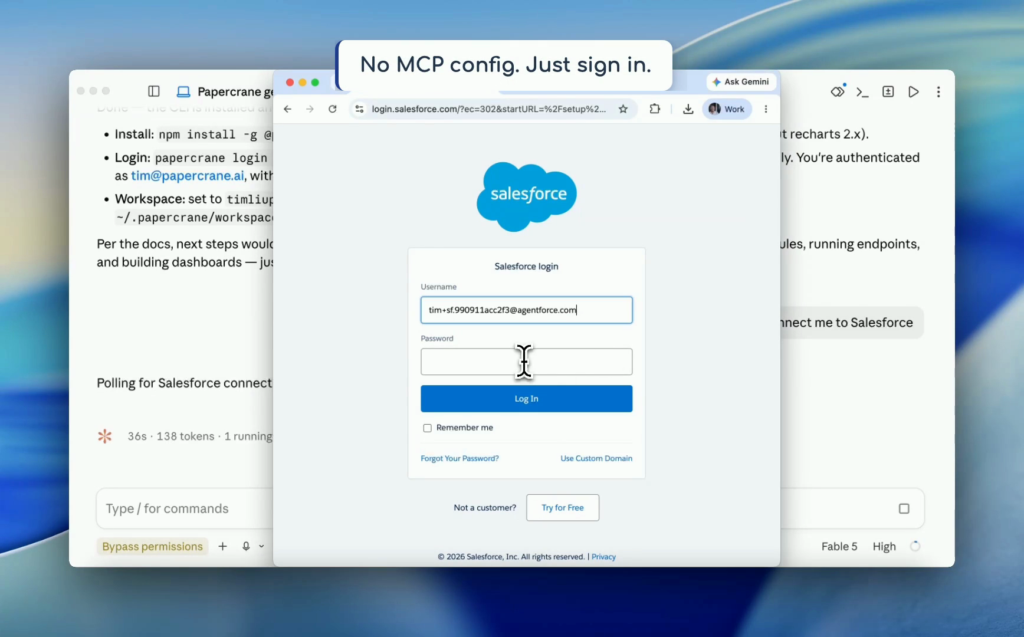
Your numbers live behind sign in screens: GA4, HubSpot, Salesforce, QuickBooks. An agent can’t click through those screens, and the workarounds are ugly. Either someone technical builds a custom developer connection for every tool (a project measured in weeks, with approval queues and security reviews), or you start pasting secret keys into terminals and chat windows and hoping nobody scrolls up.
We did the connection work once, for everyone. Connecting a tool is just signing in: your browser opens a normal sign in page, you approve access the way you’d connect any two apps, done. Your agent gets one clean, secure way to reach GA4, Stripe, HubSpot, Postgres, BigQuery, and 50+ more: warehouses, ad platforms, CRMs, finance, product analytics. The credentials stay encrypted with Papercrane, off your laptop and out of your chat history, and when a service needs its access renewed behind the scenes, that’s handled for you.
3. A dashboard is something you send to someone
A dashboard earns its keep the moment you send it: to your team, your CEO, a client. That’s the step where every local prototype dies. When you’re ready, papercrane publish puts your dashboard on a link you can share, with access control, and the numbers are live for the recipient too. The cloud side handles what a local tool never will: hosting, embedding, custom domains.
It goes both ways
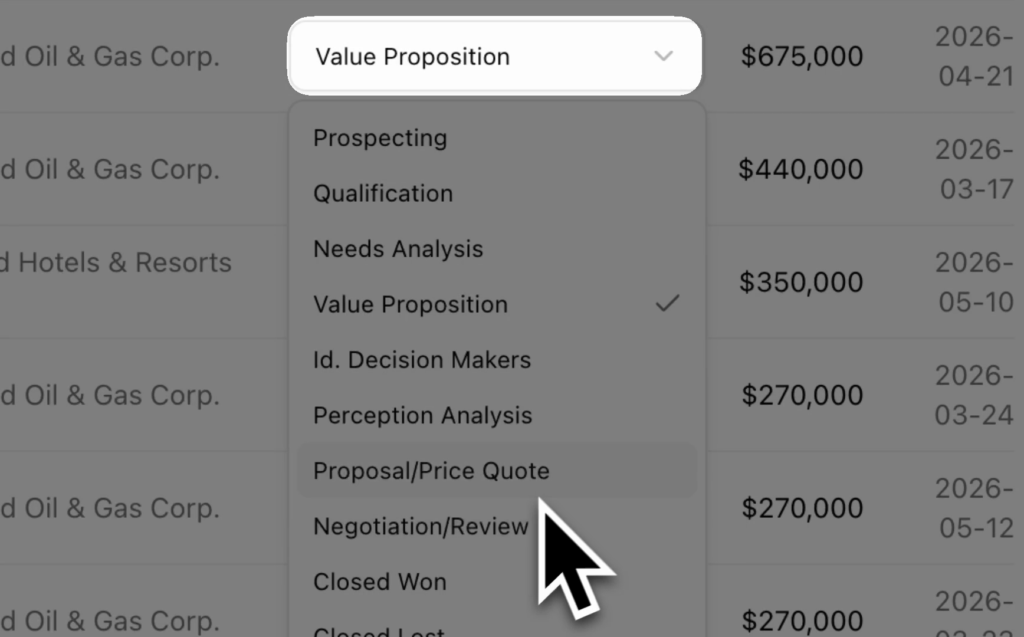
Everything so far describes data flowing in. It can flow out too. A dashboard can carry actions: a button that moves a deal to its next stage in Salesforce, a control that updates the record behind a chart. The same authenticated connection that reads the numbers can write them back. That’s the point where the word dashboard starts to undersell what you’ve got: a report you can act from is a tool, and BI has never shipped one of those.
All of your credentials, in one place
There’s a quieter problem with how people wire agents to data today: the credentials end up everywhere. An API key in an env var on your laptop. Another in an MCP config. One pasted into a prompt three weeks ago that you’ve already forgotten about. Multiply that by every teammate who wants their agent reaching the same systems, and nobody can answer the two questions that matter: who has access to what, and how do we turn it off?
With Papercrane, your organization connects each source once. Credentials are encrypted and held in one place, agents reach data through one authenticated API, connections are audit logged, and access gets revoked centrally. A teammate’s agent gets the same reach as yours without anyone forwarding keys over Slack. That starts to matter at exactly the moment this stops being a toy: the dashboard is real, the data is sensitive, and more than one person’s agent is touching it.
When a connector doesn’t exist, your agent writes one
Every integration is a TypeScript handler, and the CLI includes a guide written for the agent itself: papercrane local-integration-guide prints the whole how to straight to stdout. If your data lives somewhere we don’t cover, tell your agent to build the connector. It lands in your workspace, runs locally, and is callable exactly like the hosted ones. The toolset extends itself.
Code you own
Every dashboard is Next.js and React source sitting in your workspace: a page.tsx, a server action, recharts, Tailwind. Publish it to your own GitHub repo with one command. If you leave Papercrane tomorrow, you keep working software.
A tool for AI, not for a person
Every design decision in papercrane-cli follows from one question: what does the agent need? The docs are served as markdown a model can read. Every command prints output a model can parse. There’s no manifest spec or protocol here, just ruthless convention: if Claude Code can read it and run it, it works. Codex, Cursor, and anything else that reads stdout work too.
Which is why setup is one prompt. Open Claude Code and type:
Read https://papercrane.ai/get-started.md and loginYour agent reads the guide, installs the CLI, opens your browser to sign you in, and connects your first source. From there you just ask for what you want to see
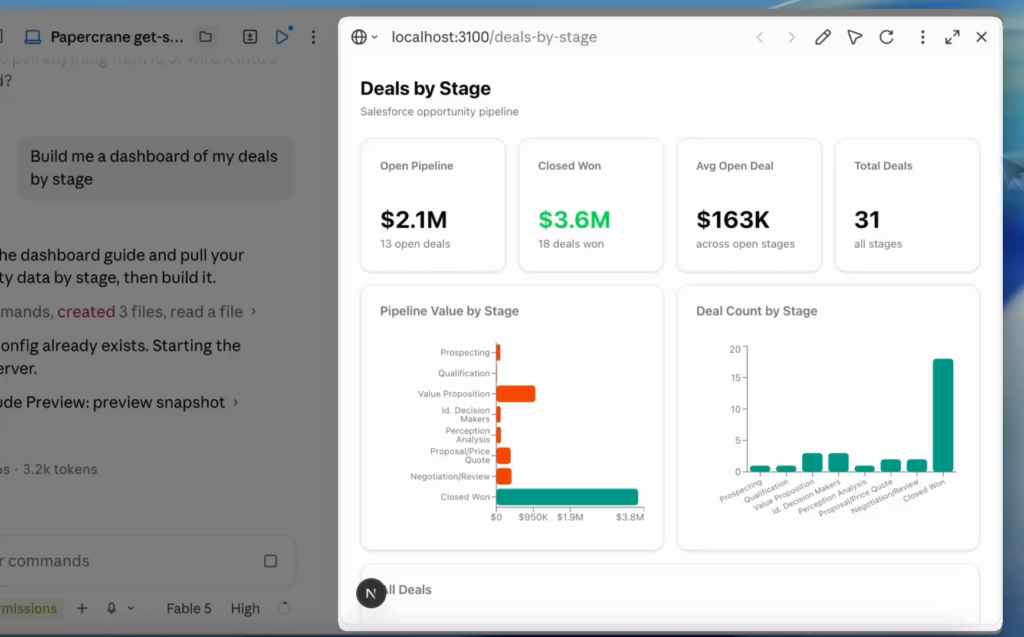
Building happens right where you’re chatting, too. papercrane-cli is wired into Claude Code’s preview, so the dashboard renders inside the Claude app while the agent works on it. You watch the charts take shape next to the conversation that’s building them.
What it costs
The CLI is free. Dashboards run on your own Claude or OpenAI subscription, so there are no AI credits to buy and no per seat pricing to negotiate. The free tier includes five dashboards and every connector. Paid tiers add team features, custom domains, and embedded analytics when you need them.
Where this is going
BI tools have spent thirty years making humans better at operating software. That era is ending. The next BI tool doesn’t need a friendlier query builder, because the thing driving it reads documentation at a thousand words a second and never gets tired of clicking. It needs what an agent needs: credentials, a workspace, and a way to ship. That’s what we’ve built.
If you have Claude Code installed, you’re ninety seconds from a live dashboard on your real data. Paste the prompt, watch what happens, and send me the first dashboard you build. I read everything.
npm install -g @papercraneai/cli, or just tell your agent: Read https://papercrane.ai/get-started.md and login